Free Online AI Photo Editor & Photoshop Alternative
Professional AI photo editor built natively in your browser. Experience instant WebGPU hardware acceleration, native layer and blending mode support, and flawless PSD file parsing. Edit privately with no sign up required — your photos never leave your device.
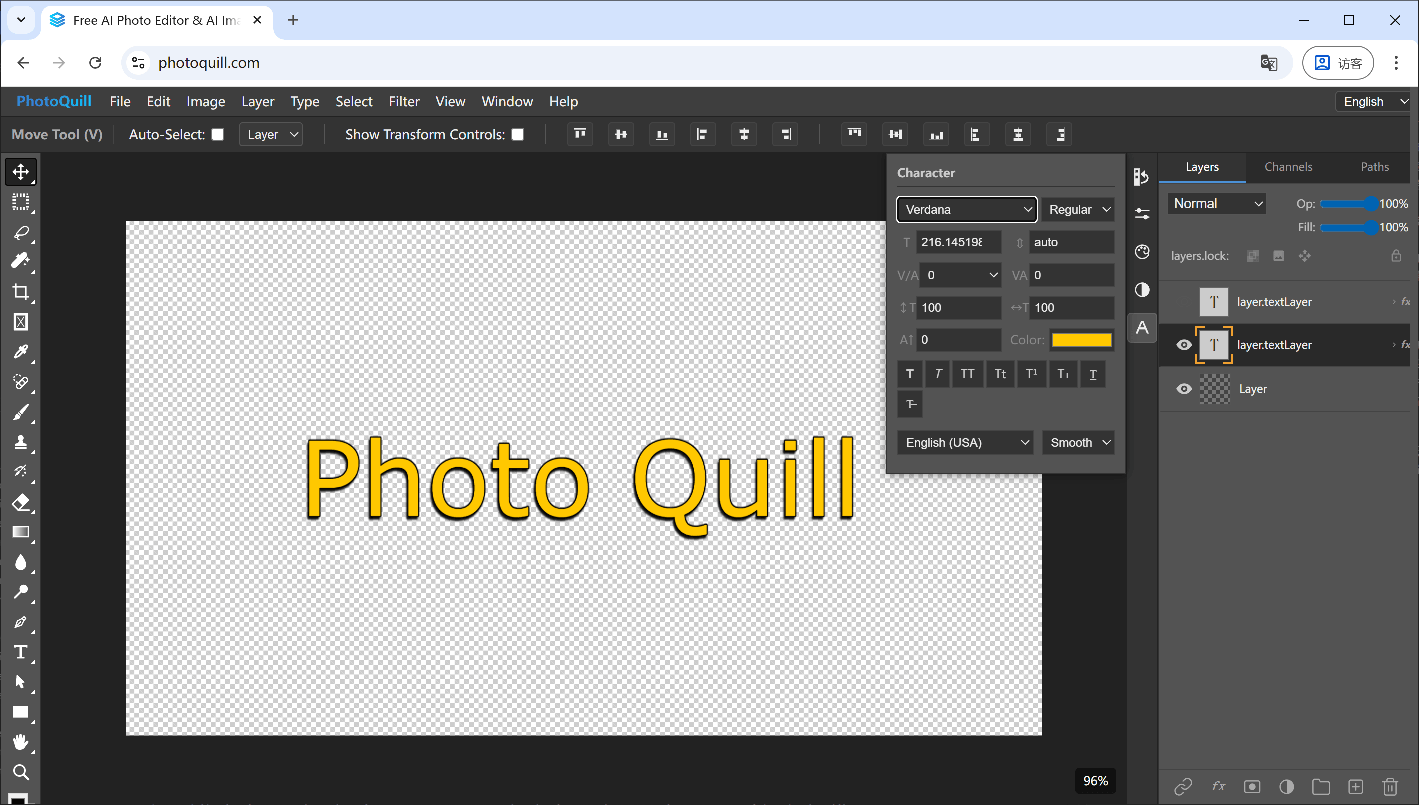
Why PhotoQuill Is the Best Unrestricted AI Photo Editor (No Sign Up)
Most online photo editors rely on outdated CPU rendering or force you to wait while your images are sent to a remote AI cloud. Our architecture is fundamentally different and faster.
Smart AI Image Adjustments
Take control of your image's mood and composition. Enhance your photography with pinpoint precision using advanced local AI models.
Isolate subjects or create transparent PNGs with a single click using our AI background remover.
Swap background colors, recolor objects, or shift hues non-destructively using adjustment layers.
Fast, In-Browser AI Processing
Unlike cloud-based AI photo editors, we process everything via WebGPU hardware acceleration, making huge canvas rendering virtually instant.
Your photos never leave your device. All AI models run completely client-side ensuring total privacy.
AI-Accelerated Photo Filters
Apply blurs, sharpening, noise reduction, and stylization filters instantly. Parallel processing ensures complex convolutions happen in milliseconds.
Use smart masking and advanced blur algorithms to blend multiple images together naturally.
The Ultimate Free Photoshop Alternative — No Download Required
No account. No restrictions. No cloud uploads. PhotoQuill runs entirely in your browser with local WebGPU speed, offering layers, masks, blending modes, and smart AI tools. The ultimate private photo editor.
Open & Edit PSD Files Online
Instantly parse and edit fully layered Photoshop (PSD) documents. We preserve your layer masks, text vectors, grouping, and blending modes locally.
Download free PSD logo mockups or social templates and customize them directly on the web.
Advanced Layer Editing Tools
Full layer support with opacity, blending modes (Multiply, Screen, Overlay), and non-destructive editing for professional graphic design.
Quickly crop to size, resize individual layers, and merge assets for perfect compositions.
Typography & Custom Fonts
Create stunning text layouts with a robust text engine that supports rich formatting directly on your canvas without any external downloads.
Load your own downloaded fonts, apply dynamic text patterns, and curve text natively.
Free Online Image Converter
Instantly convert modern web, mobile, and professional formats. Because PhotoQuill processes files locally on your device using WebAssembly, your private photos are never uploaded to a remote server.
Open Apple HEIC photos and instantly export them as universally compatible JPGs or PNGs right in this tab. Make your iPhone photos compatible with Windows PCs without suffering any quality loss.
Fix annoying WebP image saving issues by instantly converting them to universally supported JPG or PNG files. Convert heavily compressed internet images into files you can actually open or edit.
Export layered Photoshop documents into flat, web-ready transparent PNGs without an Adobe subscription. Extract assets from complex design files instantly.
Open next-gen AVIF images and export them as standard PNGs or JPGs so they can be viewed on any older device or uploaded anywhere.
Easily turn any transparent PNG into a multi-size ICO file for website favicons or Windows app icons directly in the browser.
Convert your transparent or large PNG images into standard JPGs to reduce file size and increase compatibility across all platforms.
Convert your standard JPG photos into the lossless PNG format, perfect for adding transparency or avoiding compression artifacts.
Free Online Photo Editor & AI Tools for Designers, Photographers & Students
Whether you need a free AI photo editor for quick retouching, or a powerful Photoshop and GIMP alternative for layered design work, PhotoQuill fits every workflow.
Graphic Designers & Template Creators
Use PhotoQuill as a powerful AI photo editor for creating layered graphic designs, adjusting colors, and applying blending modes — all without downloading any desktop application.
Perfect for designing YouTube banners, transparent Roblox shirt templates, and custom cool PFPs.
Photographers & AI Artists
Take control of your image's mood with Curves, Levels, Hue/Saturation, and non-destructive AI generation workflows.
Game Developers & 3D Texture Artists
Edit texture atlases, create alpha maps, and modify PSD UI assets instantly. WebGPU-accelerated processing handles massive 4K or 8K texture sheets with zero lag.
Free AI Photo Editor for Students & Educators
Learn graphic design without expensive software subscriptions. Professional online photo editor with layers, masks, and AI tools — completely free.
Free Photoshop Alternative & AI Photo Editor — FAQ
What is free and what is paid?
The core browser editor — layers, brushes, filters, PSD support, WebGPU-accelerated canvas, and all standard editing tools — is free to use, with no watermarks and no hidden fees. Optional AI image generation (FLUX, Z-Image, Nano Banana, Seedream) runs on a credit system: every account receives free daily credits, and paid plans or credit top-ups are available on our pricing page for users who need more.
Do you store my photos on a server?
No. This editor runs 100% locally in your browser. Your images never leave your device - zero uploads, zero server storage, zero privacy risks. All processing happens on your own CPU and GPU.
What is WebGPU and why is it faster than other online editors?
WebGPU is the latest web graphics API that connects directly to your GPU hardware. While most online editors use slow CPU-only rendering, this editor leverages your graphics card for 60fps canvas performance, real-time brush strokes, and instant filter previews - even on large images.
Can I open and edit Photoshop (PSD) files?
Yes. Full PSD support is included - open, view, edit, and export layered Photoshop documents with preserved layers, masks, and blending modes. No need for expensive software subscriptions.
How do I apply AI filters and adjustments?
Go to the Filter menu to access smart adjustments, blurs, noise reduction, and sharpening tools. All calculations are performed instantly using your laptop's WebGPU power, not a remote server.
Is PhotoQuill good for creative design work?
Absolutely. It includes advanced healing, clone stamp tools, and dodging/burning features to refine compositions, textures, and details without leaving your workspace.
Are blending modes supported for graphic design?
Yes, PhotoQuill supports all standard Photoshop blending modes like Multiply, Screen, Overlay, and Color Dodge. You can combine layers and adjust opacity for professional-grade graphic design.
What image formats does PhotoQuill support?
Supported formats include PSD, PNG, JPG, WebP, BMP, GIF, SVG, HDR, EXR, and more. You can open, edit, and export in all popular formats used in photography, web design, and 3D workflows.
Does it work on mobile and tablet?
Yes - it runs in any modern browser, including Chrome, Edge, Firefox, and Safari on desktop, tablet, and mobile devices. The better your GPU hardware, the smoother the experience.
How is PhotoQuill different from Photopea or Pixlr?
PhotoQuill focuses on WebGPU-accelerated editing, prioritizing instant canvas response and fast smart filters. It provides a highly optimized, lag-free workspace for manipulating large PSDs and high-resolution photos.
Can I use it as a general AI image editor, not just for photos?
Yes! While many use PhotoQuill to retouch photography, it is also a comprehensive AI image editor perfect for graphic design, web assets, and generating creative layouts.
Photo Editing Guides & Tutorials
Deep dives on Photoshop alternatives, PSD workflows, and browser-based editing. Start with the topic closest to your workflow.
Skip the login walls and popups. Edit photos instantly with our zero-friction, web-based photo editor.
Keep your images secure. A powerful WebGPU photo editor that never uploads your files to any server.
Tired of paywalls? Switch to a professional photo editor with layer masks and advanced tools for free.
When templates aren't enough. Dive into a true layer-based workspace with complex blending modes.
A comprehensive review of the best AI-powered editing tools for generative fill and smart enhancements.
Open .psd files in your browser with the full layer panel intact. No upload, no signup, files stay on your device.
What the Photopea ad sidebar actually costs you, why the common workarounds keep breaking, and the cleaner alternative.
An honest look at online Gimp editors, what they give you, and where a modern browser editor takes over.
Skip the trial, skip the account. Edit in the browser instantly with layers, PSD support, and pro tools.
Reliable ways to open a PSD file when Photoshop isn't an option, with layers, groups, and blend modes preserved.
The practical answer, not a marketing list. What actually matters in a free editor and where the trade-offs land.
Photoshop doesn't run on Chromebook, but a WebGPU browser editor does. Full PSD, layers, and exports in the tab.
Three practical methods to recolor any object — clothing, cars, products — using Hue/Saturation, Replace Color, and Color Range.
Instantly export iPhone photos to universally compatible JPG format right in this tab.
Easily fix annoying WebP downloads by converting them to standard JPG or PNG files.
Quickly export Photoshop documents to transparent PNGs without an Adobe subscription.
Instantly fix annoying WebP files by converting them to universally compatible transparent PNGs.
Easily convert next-gen AVIF images to standard JPGs so they can be viewed on any older device.
Maintain transparency while converting AVIF image formats into universally supported PNGs.
Quickly turn your transparent PNG logos into proper multi-size Windows ICO files.
Easily fix annoying JFIF downloads by instantly converting them back to standard JPG images.
Instantly convert web JFIF files directly into high-quality PNGs entirely on your device.
Extract and convert all pages of a PDF document into high-quality JPG images instantly.
Easily combine and convert your JPG images into a single PDF document without server uploads.
Extract and convert all pages of a PDF document into high-quality PNG images instantly.
Easily combine and convert your PNG images into a single PDF document without installation.
Easily convert transparent or large PNG images to the universally supported JPG format.
Convert JPG photos to PNG format for lossless quality and editing.
Keyboard shortcuts, layer habits, and PSD migration tips for people switching away from the Adobe subscription.