
Online Photoshop, Free in Your Browser
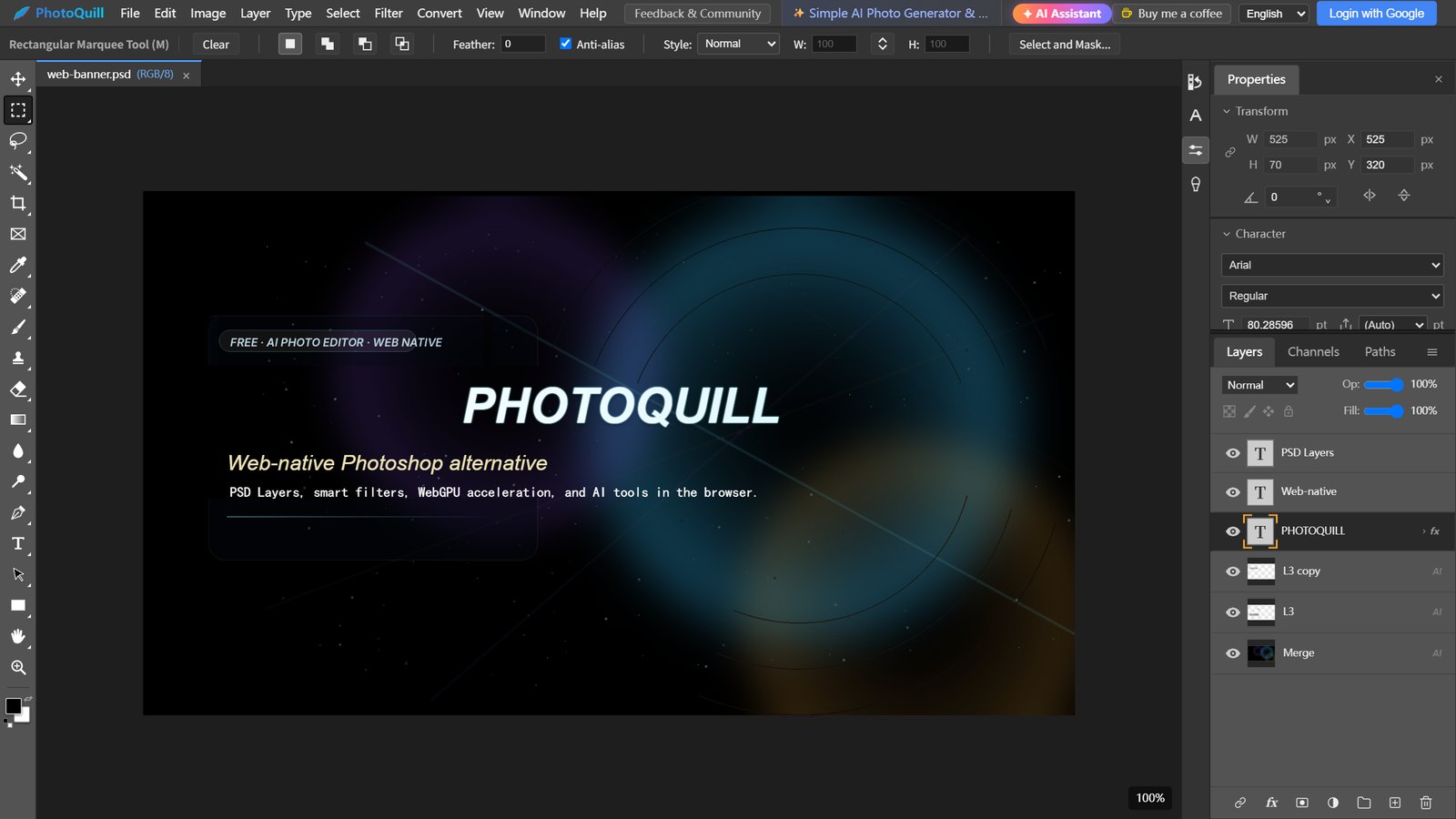
PhotoQuill is a free Photoshop-style editor that opens in your browser in seconds: layers, masks, adjustment layers, blend modes and real PSD files. Nothing to download, and no account needed to start editing.
Works in Chrome and Edge on Windows, Mac and Chromebook. No download, no sign-up.
 Open the editor
Photoshop Tools You Already Know
The workspace follows Photoshop: tools on the left, panels on the right and the same menus (File, Edit, Image, Layer, Select, Filter). Shortcuts like Ctrl+J for Layer via Copy, Ctrl+L for Levels and Ctrl+G to group layers work the way your hands expect.
Layers, Masks & Blend Modes
Layer groups, layer masks, clipping masks, opacity and fill, and Photoshop's blend modes such as Multiply, Screen and Overlay. Convert layers to Smart Objects and add layer styles like drop shadows and strokes.
Open and Save Real PSD Files
Open PSDs made in Photoshop with their layers, text, masks and adjustment layers, and save them back as layered PSDs, including 16-bit, 32-bit and CMYK documents. Export PNG, JPG and WebP when you are done.
Adjustment Layers & Filters
Levels, Curves, Hue/Saturation and the other adjustments as editable adjustment layers, plus filters such as Camera Raw, Liquify, blurs, sharpening and noise reduction, rendered on your graphics card with WebGPU.
Selections & Retouching
Marquee, Lasso, Magic Wand, Object Selection and Select and Mask, then retouch with Content-Aware Fill, the Spot Healing Brush, Patch and the Clone Stamp, all running locally.
Text, Shapes & the Pen Tool
Editable text layers with Warp Text, vector shapes, and the Pen, Curvature Pen and path selection tools for precise outlines and clipping paths.
AI When You Want It
Describe a design and the AI assistant builds it as editable layers, split a flat image into a layered PSD, or regenerate a single layer from a prompt. AI features need a free Google sign-in and use credits.
PhotoQuill vs Adobe Photoshop on the Web
Adobe has its own online Photoshop, Photoshop on the web. It is a good choice if you already pay for Photoshop. If you want to edit without a subscription or an account, PhotoQuill is the free option.
| PhotoQuill | Photoshop on the web | |
|---|---|---|
| Price | Free editor; AI features use credits | Needs a Photoshop plan (such as the Photoshop Mobile and Web plan) or a free trial to edit your own photos |
| Account | None needed to edit | Adobe account |
| PSD files | Opens and saves layered PSDs | Opens and saves PSDs |
| File limits | Only your computer's memory | Uploads up to 40 MB and 8,000 × 8,000 px |
| Where your files go | Edited on your device; uploaded only for AI features | Uploaded to Adobe's cloud |
| AI | AI assistant that builds layered designs, image to layered PSD, background removal, image generation | Generative Fill and Generative Expand (Adobe Firefly) |
Photoshop on the web details from Adobe's Photoshop on the web page, November 2026. Other free browser editors include Photopea and Pixlr; see our comparison of online Photoshop alternatives.
How to Use Photoshop Online for Free
- Open the editor. Click Start Editing Free. PhotoQuill opens in your browser in a few seconds, and nothing is installed.
- Open your file. Drag a PSD, JPG, PNG or WebP onto the window, or use File → Open. PSDs open with their layers.
- Edit with layers. Add adjustment layers, masks, text and retouching just as you would in Photoshop. Undo history and the History panel keep every step.
- Save your work. Choose File → Save as PSD to keep the layers, or export a PNG or JPG to share.
Ready to try it? The editor is free, with no download and no sign-up to start.
Open the Free Online Editor