PhotoQuill vs Fotor (2026): Professional Layer Control vs One-Click AI Filters
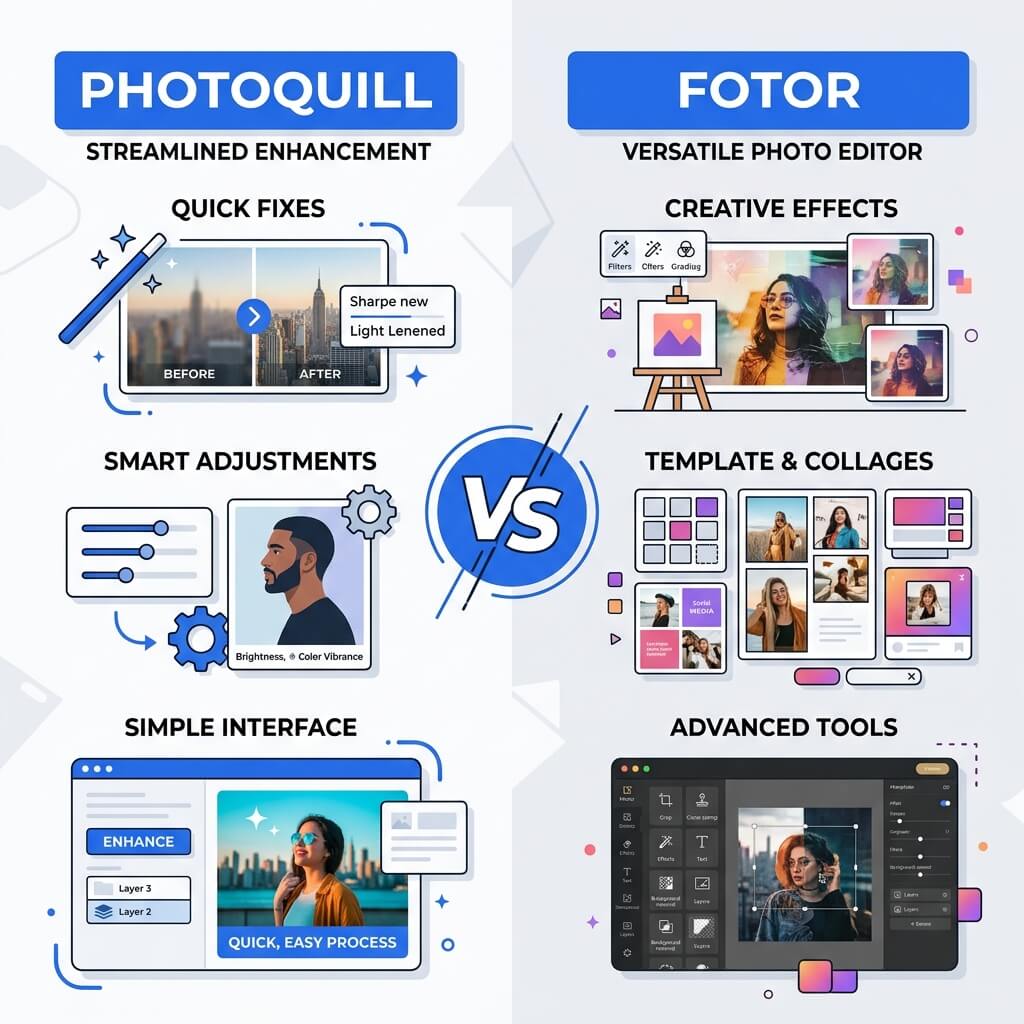
The Verdict (50 Words)
Fotor is excellent for non-designers who need fast, automated AI enhancements — portrait retouching, collages, and style filters with zero learning curve. For any professional use case requiring precise control, layers, masks, PSD editing, or unlimited credit-free editing, PhotoQuill is the fundamentally superior and completely free choice.
The Philosophy Difference: Automation vs. Precision
Fotor and PhotoQuill represent two fundamentally different philosophies about what photo editing software should be.
Fotor's philosophy: Photo editing is too complex. Make it automatic. Click one button and let AI make your photo look professional. This is genuinely valuable for a large audience — people who take a photo on their phone and want it to look polished in 10 seconds without learning any skills.
PhotoQuill's philosophy: Photo editing is a craft. Give professionals the precision tools to express their creative vision exactly, at pixel level, without limitations. This serves photographers, designers, and retouchers who need control over every decision.
Neither philosophy is wrong. The question is which one matches your workflow.
Objective Pros & Cons
Fotor: The One-Click AI Enhancement Platform
Fotor has built a substantial user base (over 500 million photos edited according to their own data) around automated, AI-driven image enhancement.
Genuine Strengths:
- AI Portrait Enhancement: One-click skin smoothing, blemish removal, face slimming, teeth whitening, and eye enhancement powered by facial recognition AI. For non-designers, the results are impressive and dramatically faster than manual retouching.
- Photo-to-Art Style Transfer: Convert photos to oil paintings, watercolors, pencil sketches, and other artistic styles using neural style transfer AI — a niche feature with genuine creative value for social media.
- HDR Toning: One-click HDR presets that add dramatic tonal contrast to landscape and architectural photography, producing the "Instagram travel photography" look quickly.
- Photo Collage Maker: Dynamic grid collage layouts that automatically arrange multiple photos with intelligent cropping and spacing.
- Batch Enhancement: Apply one-click enhancements to multiple photos simultaneously — useful for photo volume processing without professional editing knowledge.
Real Drawbacks:
- Credit-Based AI: Fotor's AI features consume Credits. The free tier includes limited credits per month; heavy users need Fotor Pro ($8.99/month) or Pro+ ($19.99/month) to replenish credits regularly.
- No Layer Architecture: Fotor has no professional layer system. You cannot add adjustment layers, paint on masks, or build multi-layer composites. Every operation is destructive (applied directly to the pixel data).
- AI Results Are Fixed: When Fotor's AI smooths skin or removes a blemish, the result is a single flat output. You cannot refine the mask, adjust the strength per-area, or undo specific portions — you accept or reject the entire result.
- Cloud Processing Requirement: Most AI features require uploading your photo to Fotor's servers for processing, raising privacy concerns for professional or sensitive photos.
PhotoQuill: The Professional Precision Toolkit
Genuine Strengths:
- Adjustment Layers: Apply color corrections (Curves, Levels, Hue/Saturation, Vibrance) as non-destructive layers. Modify or delete them at any time without touching the original pixels. No destructive one-click filters.
- Healing Brush & Clone Stamp: Remove blemishes with a brush tool that intelligently samples surrounding texture. Adjustable radius, hardness, and opacity give you pixel-perfect control over every correction.
- Layer Masks: Create precise, paintable masks that control exactly where any effect is applied. Refine masks on hair, fine edges, and transparent objects with professional-grade tools.
- Frequency Separation: Separate the texture and color of skin into different layers for advanced retouching that maintains natural skin texture while correcting tone — the standard technique in professional portrait retouching.
- No Credits, No Limits: Every tool, every feature, every export — unlimited and free. Your workflow is never interrupted by a "you've used your AI credits" message.
Real Limitations:
- Requires Skill Investment: Tools like Curves and Layer Masks have a learning curve. If you've never used photo editing software, expect to spend an hour learning the basics before feeling productive.
- No One-Click Portrait AI: No "beautify" button that automatically smooths skin and brightens eyes. Every correction requires intentional tool use.
The Credit System: Why It Matters for Professional Use
Fotor's credit system creates an unpredictable cost structure that is genuinely problematic for professional workflows. If you're editing client photos and you need background removal for 50 product images in a day, you will consume credits rapidly and potentially hit a wall mid-job.
PhotoQuill processes AI object removal and background replacement using WebAssembly locally on your hardware. There is no server cost to PhotoQuill for each operation you perform, which is why there is no credit system. Your processor and GPU do the computation — not Fotor's servers.
Feature Comparison Table
| Feature | PhotoQuill | Fotor |
|---|---|---|
| Pricing Model | 100% Free (No Credits) | Credit System + Subscription |
| Layer Architecture | Full Non-Destructive Layers | No Layers |
| Healing Brush | Yes (Adjustable) | No |
| One-Click AI Portrait | No | Yes (Skin, Eyes, Teeth) |
| Privacy (Local Processing) | 100% Local | Cloud Upload Required |
| PSD Support | Full Layer Editing | Flat Import Only |
| Photo-to-Art Style Transfer | No | Yes |
| Adjustment Layers | Yes (Curves, Levels, HSL) | No |
Who Should Use Which?
✅ Choose PhotoQuill if you...
- Need precise, refinable retouching results
- Work with clients or deliver professional-grade output
- Edit product photos requiring exact background masking
- Want unlimited AI tools with no credit drain
- Value photo privacy — no cloud uploads
✅ Choose Fotor if you...
- Want fast, zero-skill portrait enhancement
- Need photo-to-artistic-style conversion
- Make photo grid collages regularly
- Are a casual user, not a professional retoucher
- Want dramatic HDR landscape looks instantly
How to Move from One-Click Filters to Professional Layer Editing
Export your photo from Fotor
Save your current image from Fotor as a high-quality JPG or PNG before switching. Note: Fotor's one-click edits are baked into the pixels — this is where non-destructive layers become valuable.
Open PhotoQuill and import
Navigate to photoquill.com and drag your image onto the canvas. No account needed, no credits required.
Use Adjustment Layers instead of filters
Add a Curves Adjustment Layer (Layer > New Adjustment Layer > Curves). Drag the curve to apply color grading — this is non-destructive. Modify or delete it at any time without affecting your original image data.