PhotoQuill vs Adobe Express (2026): No-Login Web Editor Review
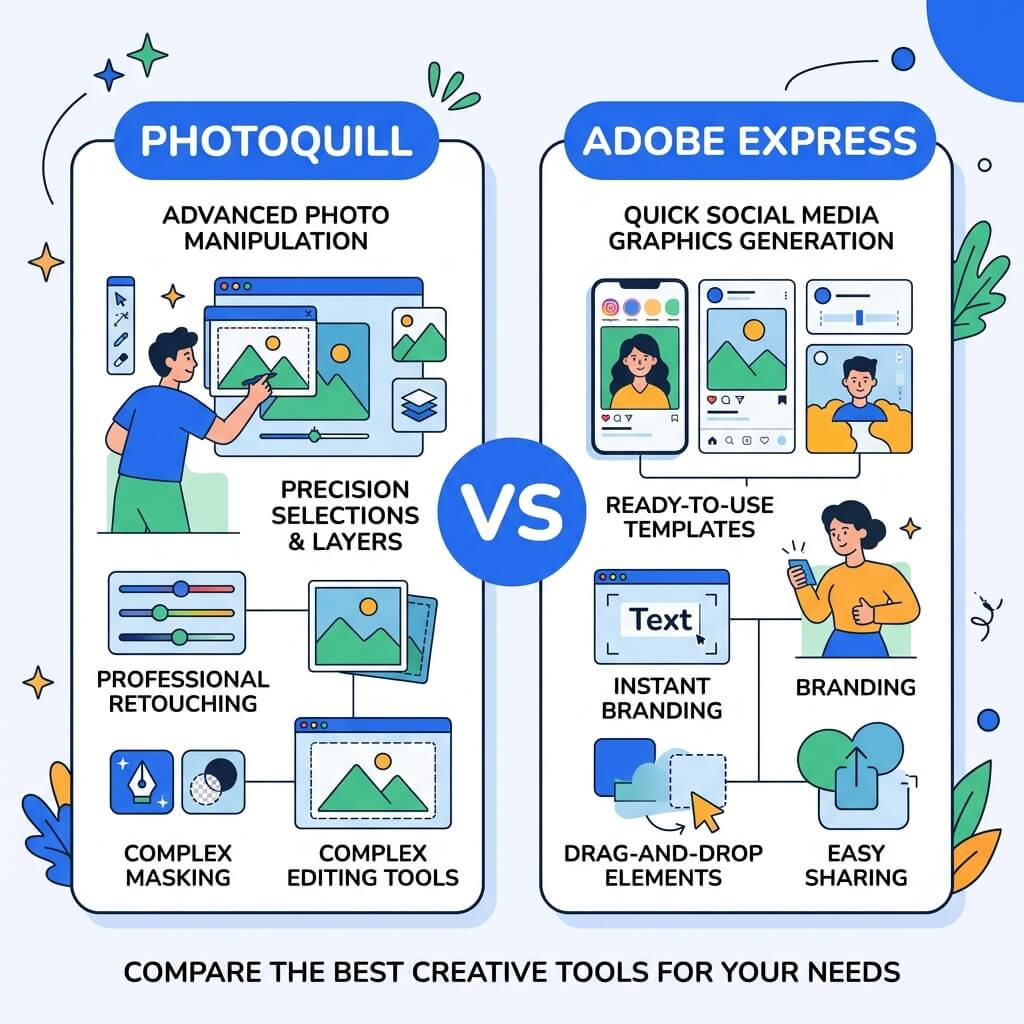
The Verdict (50 Words)
If you already have Creative Cloud and need Adobe Fonts, Firefly AI content generation, and direct social scheduling — Adobe Express is excellent within that ecosystem. If you want to edit photos immediately, with no account, no credit system, and no privacy compromise — PhotoQuill is the obvious choice.
The Login Problem: Why It Matters More Than You Think
Adobe Express requires a free Adobe ID before you can access any feature. This means email verification, account creation, and a login screen every session. Sounds minor — but friction accumulates. For someone who edits casually once a week, the login friction alone has driven millions of users to alternatives.
PhotoQuill is built on a "zero-friction, zero-account" philosophy. You type the URL and start editing. Your images never touch a server. There is no account to create, no email to verify, and no password to forget. This architectural decision is not just a convenience — it's a privacy guarantee.
Objective Pros & Cons
Adobe Express: Adobe's Social Content Platform
Adobe Express is Adobe's answer to Canva — a template-driven design tool aimed at marketers, small businesses, and content creators who want quick, on-brand output without design expertise.
Genuine Strengths:
- Adobe Firefly Integration: Built-in access to Adobe's commercially trained generative AI for text-to-image, generative fill, and AI-powered template customization. Adobe Firefly's training data is licensed, making it safer for commercial use without copyright concerns.
- Adobe Fonts: Access to thousands of professional typefaces from Adobe Fonts directly within the editor — a library unavailable on any competing platform without a Creative Cloud subscription.
- Creative Cloud Sync: If you're already a Creative Cloud subscriber, your assets, brand colors, and libraries sync seamlessly from Photoshop and Illustrator into Express.
- Video & Reel Creation: Advanced social video tools for creating TikTok content, Instagram Reels, YouTube Shorts — with caption auto-generation and basic timeline editing.
- Direct Social Publishing & Scheduling: Schedule posts directly to Instagram, Facebook, Pinterest, LinkedIn, and TikTok from within Express.
Real Drawbacks:
- Mandatory Adobe Account: No way around it. You must create and maintain an Adobe ID, which is part of Adobe's user data ecosystem and marketing pipeline.
- Not a Photo Editing Software: Despite the name "Express" suggesting speed over power, the tool lacks fundamental photo editing capabilities — no curves, no healing brush, no layer masking, no PSD support.
- Credit-Based AI: Firefly AI generation consumes "Generative Credits." The free tier provides 25 credits per month; more require a premium subscription. PhotoQuill's AI features are credit-free.
- Premium Template Paywalls: Many high-quality templates, stock assets, and brand customization features require Express Premium ($9.99/month).
PhotoQuill: Privacy-First Local Photo Editing Software
Genuine Strengths:
- Zero Account Required: The editor loads in full with no account, no email, no tracking. The most private professional editor available online.
- True Photo Editing: Curves, Levels, Healing Brush, Clone Stamp, complex Layer Masks, Channels — the full professional toolkit that Express lacks entirely.
- Native PSD Editing: Open, edit, and save Photoshop files natively — something Adobe's own Express cannot do properly.
- Credit-Free AI: AI object removal, background replacement, and selection refinement with no credit system. Processed locally, unlimited use.
- 100% Local Processing: Your images are never uploaded to Adobe's servers. Complete data privacy.
Real Limitations:
- No Adobe Fonts: Does not include access to the full Adobe Fonts library — you're limited to system fonts and web-safe fonts unless you install fonts locally.
- No Social Scheduling: No direct integration with social media platforms for publishing or scheduling.
- No Generative AI (Text-to-Image): Cannot generate new images from text prompts like Adobe Firefly can.
The AI Comparison: Firefly vs. Local WASM
Adobe Firefly (powering Express) is one of the most capable and commercially safe generative AI systems available. It was trained exclusively on licensed content and Adobe Stock, addressing copyright concerns that plague competitors. Firefly excels at generating entirely new images, realistic generative fill in complex scenes, and style-matched content generation.
PhotoQuill's AI tools are fundamentally different in architecture. They are local, deterministic image processing algorithms — AI object removal uses inpainting models compiled to WASM that run on your CPU/GPU. This means: no internet required for AI features, no credits consumed, and your images are never sent to a training server.
If you need to generate new content (create an image from a text description, invent a background from scratch), Firefly wins. If you need to manipulate existing images (remove an object, retouch skin, replace a background with one of your own photos), PhotoQuill's local AI is the right tool.
Feature Comparison Table
| Feature | PhotoQuill | Adobe Express |
|---|---|---|
| Login Required | No | Yes (Adobe ID mandatory) |
| Core Price | Free | Free (limited) / $9.99/mo |
| Photo Retouching Tools | Full Professional Set | Minimal |
| PSD Editing | Full Layer Support | No |
| Generative AI (Text→Image) | No | Yes (Adobe Firefly) |
| AI Credits Required | No (Unlimited Local AI) | Yes (25 free/month) |
| Social Scheduling | No | Yes |
| Privacy (No Data Upload) | 100% Local | Cloud Processing |
| Adobe Fonts Access | No | Yes |
Who Should Use Which?
✅ Choose PhotoQuill if you...
- Want to edit without creating an Adobe account
- Need professional photo retouching and layers
- Value image privacy — no cloud uploads
- Need to edit PSD files from clients
- Want unlimited AI features without credit limits
✅ Choose Adobe Express if you...
- Already subscribe to Creative Cloud
- Need Adobe Firefly text-to-image generation
- Use Adobe Fonts in your brand standards
- Want direct social media scheduling
- Need video Reel/Short creation for social
How to Edit Photos Without an Adobe Account
Skip the Adobe ID requirement
Navigate directly to photoquill.com. No account creation, email verification, or login screen appears — the editor opens immediately.
Load your image
Drag any JPG, PNG, TIFF, or PSD file onto the canvas. If you have a file from Creative Cloud, download it first, then open in PhotoQuill.
Edit and export — locally
Make your edits using professional-grade tools. Go to File > Export to save directly to your hard drive. Your image never leaves your device.