How to Convert PNG to JPG: Complete Quality and Transparency Guide
Portable Network Graphics (PNG) is the gold standard for crisp graphics, screenshots, and transparent backgrounds. However, PNG files can be 3x to 10x larger than equivalent JPEG images, causing sluggish website load times and eating up device storage. Learning how to convert png to jpg lets you slash file sizes while preserving sharp details for web uploads, email attachments, and digital galleries.
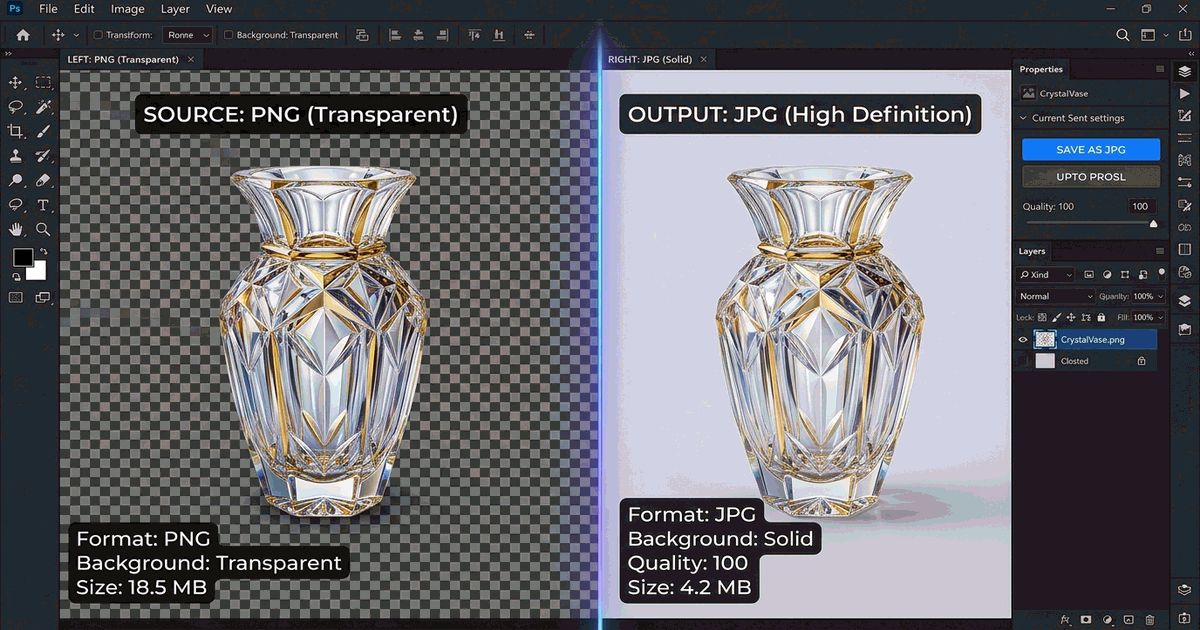
Why Convert PNG to JPG? File Size vs. Transparency
Both PNG and JPG have specific strengths depending on how you intend to use your image:
- Storage and Bandwidth Optimization: JPG utilizes lossy compression algorithms that discard high-frequency color variations the human eye cannot discern, reducing file size by up to 80%.
- E-commerce and Social Compatibility: Many marketplace platforms (such as Amazon and eBay) and document upload portals mandate JPG format for catalog compliance.
- The Transparency Caveat: JPG does not support alpha transparency channels. When converting a transparent PNG to JPG, the clear areas are automatically replaced with a solid background color (typically pure white).
Method 1: Instant In-Browser Conversion with PhotoQuill (No Uploads)
Most online converters upload your personal photos to remote cloud servers, posing privacy concerns. PhotoQuill executes image decoding and re-encoding locally in your browser sandbox using WebAssembly:
- Open PhotoQuill Online Editor in any web browser.
- Drag and drop your PNG image onto the workspace canvas, or click File → Open.
- If your PNG has transparent cutouts, fill a new bottom layer with your preferred background color (white, black, or custom brand shade).
- Click File → Export As → JPG.
- Select your quality percentage (85% to 92% offers the optimal sweet spot between microscopic file size and razor-sharp clarity) and click Save.
Method 2: Convert PNG to JPG on Windows (Built-in Photos & Paint)
Windows users can convert PNGs without installing third-party utilities:
- Right-click the PNG file and select Open with → Paint.
- Click File → Save as.
- Choose JPEG picture from the side menu.
- Name your file and hit Save. Paint replaces any transparency with solid white.
Method 3: Convert PNG to JPG on macOS (Finder Quick Actions)
On Mac systems running macOS Monterey, Ventura, Sonoma, or Sequoia:
- Locate your PNG file in Finder.
- Right-click (Control-click) the image file.
- Hover over Quick Actions and select Convert Image.
- Select JPEG in the format dropdown and choose Actual Size.
- Click Convert to JPEG to save the new copy immediately. For iPhone imports, check our dedicated walkthrough on how to convert HEIC to JPG on Mac.
Format Breakdown: PNG vs. JPG Comparison
| Criteria | PNG (Portable Network Graphics) | JPG / JPEG (Joint Photographic Experts) |
|---|---|---|
| Compression Type | Lossless (No pixel degradation) | Lossy (High compression with tiny visual loss) |
| Alpha Transparency | Full 8-bit & 24-bit alpha support | No transparency (renders as solid background) |
| Average File Size | Large (often 1MB to 8MB) | Compact (often 100KB to 600KB) |
| Best Application | Logos, UI icons, line art, graphics with text | Photographs, digital paintings, social media posts |
Need to Edit or Resize Before Converting?
Before exporting to JPG, you may need to adjust dimensions or crop unwanted margins. Explore our guides on how to edit a PNG file, learn how to resize an image, or use our tutorial on how to remove background.
Convert Images in PhotoQuill Now →Frequently Asked Questions
When saving at 85% to 95% JPEG quality, the human eye cannot perceive any difference in photographic content. Only high-contrast vector lines or fine typography might show faint compression artifacts.
Because JPG lacks an alpha transparency channel, transparent pixels will be filled automatically with a solid color, usually white.
Yes, but converting a JPG back to PNG will not recover lost details or restore transparent backgrounds. It simply packages the existing compressed pixels into a PNG container.
On macOS, select all files in Finder and use Quick Actions > Convert Image. On Windows or cross-platform devices, batch drop your images into PhotoQuill for automated local processing.
Yes. PhotoQuill is 100% free with no account creation, no watermarks, and no upload limits.