How to Reduce JPG File Size Without Quality Loss: Complete Guide
Modern smartphone cameras and digital DSLRs capture photographs with astonishing detail, but this resolution comes with a severe drawback: massive file payloads. A single uncompressed JPEG straight from a smartphone camera frequently weighs between 5MB and 15MB. When attempting to email attachments, submit online government visa applications, or upload photos to websites, strict file size limits (often under 2MB or even 200KB) trigger immediate rejection errors. Learning how to reduce jpg file size allows you to shrink file weights by up to 85% while preserving sharp photographic clarity.
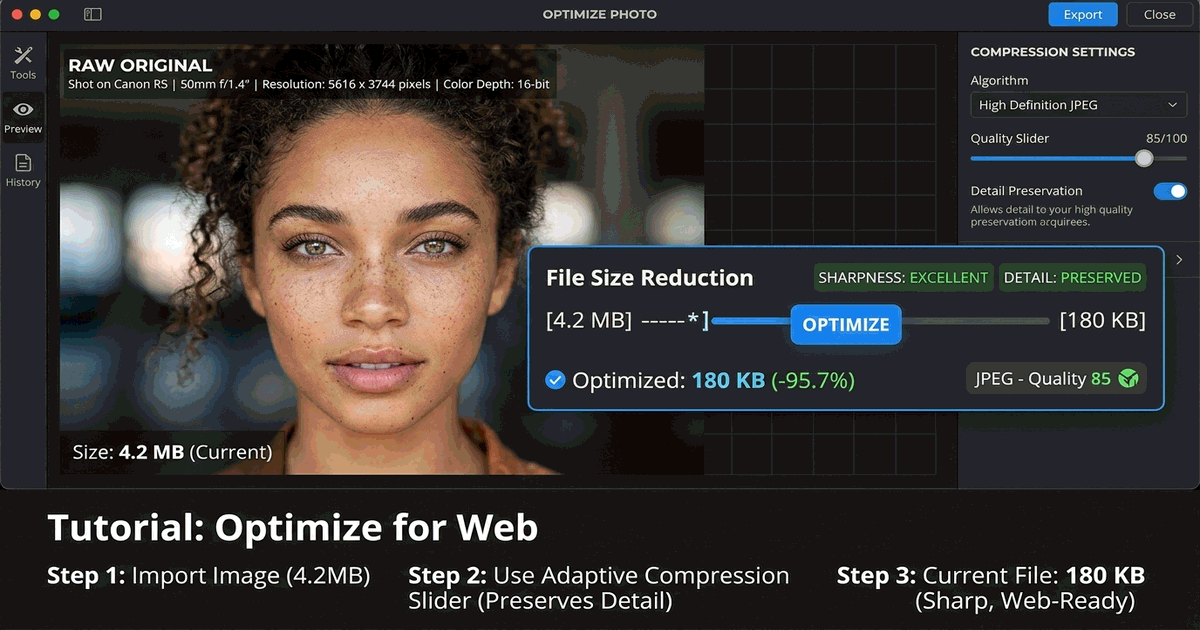
The Two Levers of JPEG Size Reduction: Pixels vs Quantization
Reducing the byte weight of any digital image involves two complementary technical adjustments: downscaling physical pixel dimensions and adjusting mathematical quantization tables.
A 24-megapixel camera photo measures roughly 6000x4000 pixels. On a standard desktop monitor or smartphone screen, displaying this image at full size requires significant downscaling by the browser, wasting CPU cycles and mobile cellular data. Downscaling pixel width to 1920px immediately eliminates 80% of unnecessary pixel data before compression even takes place.
The second lever is JPEG quantization. Discrete cosine transform (DCT) compression groups similar color gradients into mathematical blocks. Setting compression quality between 80% and 85% eliminates high-frequency noise that the human retina cannot detect, slashing file size with zero visible degradation.
| Quality Setting | Typical File Size (1920x1080) | Visual Perception | Recommended Use Case |
|---|---|---|---|
| 100% (Maximum) | 2.5 MB – 4.0 MB | Lossless benchmark | Fine art physical printing / Master archival copies |
| 85% (High Quality) | 350 KB – 600 KB | Indistinguishable from 100% | Website hero banners, portfolio displays & social media |
| 75% (Medium Quality) | 120 KB – 250 KB | Sharp; subtle smoothing in dense foliage | Email attachments, blog body images & job applications |
| 50% (Heavy Compression) | 50 KB – 90 KB | Minor ringing artifacts around sharp text | Low-bandwidth mobile web & thumbnail grids |
Method 1: Fast In-Browser Compression with PhotoQuill (100% Private)
Most commercial compression websites transmit your personal pictures to third-party cloud servers. PhotoQuill executes image resizing and JPEG compression directly inside your local browser memory via WebAssembly, ensuring total privacy:
- Open the PhotoQuill Editor in your web browser.
- Drag and drop your large JPG or JPEG image onto the workspace.
- Click Image → Image Size. If the width exceeds 2000px, set width to 1920px (or 1200px for email) and confirm that Constrain Proportions is checked.
- Click File → Export As → JPG.
- Adjust the Quality slider. Notice the real-time preview updating file size dynamically. Aim for 80% to 85% for optimal balance.
- Click Save to download your lightweight, web-optimized JPEG.
Method 2: Reducing Image Size by Cropping Unnecessary Borders
Trimming extraneous visual borders is one of the most effective ways to shed file size while improving the visual impact of your composition. Extraneous background space, empty skies, or unneeded tabletop edges consume precious pixel memory.
Using the crop tool in your editor, align your subject using the classic rule of thirds. Trimming 30% of perimeter background reduces total pixel count proportionally, resulting in a cleaner composition and a naturally lighter file. For detailed cropping techniques, see our practical guide on how to crop images professionally.
Method 3: Batch Compression on macOS Using Finder
Mac users can compress multiple JPEG images simultaneously without installing additional software:
- Select your group of large JPG files in Finder.
- Right-click the selection and choose Quick Actions → Convert Image.
- Set the format to JPEG.
- Under the Image Size dropdown, select Medium (typically 1280px wide) or Small (640px wide).
- Click Convert to JPEG. macOS saves optimized copies directly alongside your originals.
Stripping Invisible EXIF Metadata for Extra Size Savings
Modern cameras and smartphones embed extensive EXIF metadata into every JPEG file: GPS coordinates, camera model, shutter speed, ISO settings, lens serial numbers, and embedded preview thumbnails. In high-resolution photos, this invisible metadata can add between 20KB and 150KB to every single file.
When you export through PhotoQuill, unnecessary camera metadata and embedded color profiles are automatically stripped out. This sanitizes your image for privacy and slashes file size without altering a single visual pixel.