PhotoQuill vs GIMP (2026): Which Free Editor Actually Wins?
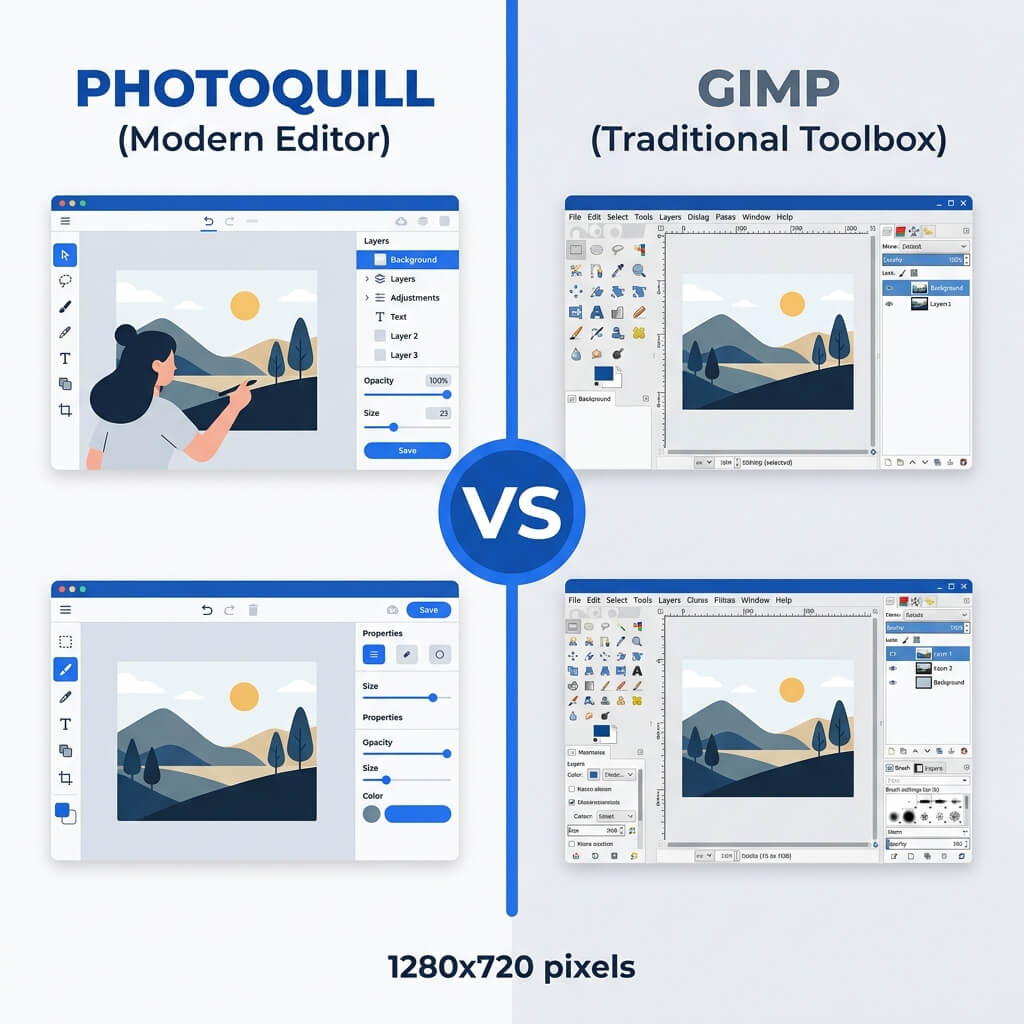
The Verdict (50 Words)
If you are a Linux power user who needs Python batch scripting, the G'MIC filter library, or absolute offline-only operation — GIMP is unmatched and free. For everyone else who wants a modern, intuitive interface with flawless PSD support and zero installation, PhotoQuill is the clear winner.
The Context: Two Different Philosophies
GIMP (GNU Image Manipulation Program) was first released in 1996 and has been the flagship free, open-source image editor for nearly 30 years. It is maintained entirely by volunteers and represents the ethos of open-source freedom. PhotoQuill, by contrast, is a modern web-native application built on 2020s-era browser technologies.
Comparing them is more nuanced than simply "which is better." They were built for different users, with different philosophies, and excel in genuinely different scenarios.
Objective Pros & Cons
GIMP 3.0: The Open-Source Powerhouse
GIMP 3.0 (currently in RC phase as of 2026) represents a major generational leap with GEGL-based non-destructive layer effects, improved HiDPI support, and a refreshed UI. Here's where it genuinely shines:
Genuine Strengths:
- G'MIC Plugin: The GREYC's Magic for Image Computing (G'MIC) library adds over 500 advanced image processing filters — frequency separation, inpainting, stippling, anisotropic smoothing — that go far beyond any commercial editor's built-in filter set.
- BIMP Batch Processing: The Batch Image Manipulation Plugin allows scripted automation across hundreds of images — resizing, watermarking, format conversion — all from a clean GUI without command-line knowledge.
- Python-Fu & Script-Fu: Full scripting access to every GIMP function via Python or Scheme. Automate complex retouching workflows, build custom tools, or process entire folders non-interactively.
- 100% Offline Operation: GIMP requires zero internet connection at any time after installation. This matters for isolated network environments (medical, military, legal).
- No Corporate Control: Unlike any commercial tool, GIMP can never be discontinued, paywalled, or subscription-locked. The source code is always available.
- XCF Native Format: GIMP's own XCF format preserves every feature natively and can be version-controlled with Git like code.
Real Drawbacks:
- Interface Paradigm Gap: Even after 3.0, GIMP's layout (floating dialog boxes, unique tool names like "Fuzzy Select" for Magic Wand) diverges significantly from the Photoshop standard that most tutorials and courses reference.
- PSD Fidelity Issues: GIMP rasterizes text layers, breaks Smart Object references, and misinterprets many complex layer styles on PSD import.
- Slow Development Velocity: Major feature releases take years. Non-destructive editing, long-promised, only arrived fully in GIMP 3.0 after a decade of development.
- Startup and Plugin Load Time: On Windows, GIMP's cold start with plugins can take 20–45 seconds due to the plugin scan at launch.
PhotoQuill: The Modern Web-Native Editor
PhotoQuill's design goal is to make professional-grade photo editing as frictionless as possible for the majority of creative workflows.
Genuine Strengths:
- Instant Start: No installation. Type the URL, and the full editor loads in under 2 seconds via cached WASM bundles.
- Industry-Standard UI: The panel layout, tool keyboard shortcuts (B/E/V/C/M), and menu structure mirror Photoshop conventions. New users are productive immediately.
- High-Fidelity PSD Support: PhotoQuill's PSD parser correctly handles layer groups, blend modes, text layers, and adjustment layers that GIMP frequently corrupts.
- Cross-Platform: Works identically on Windows, macOS, Linux, and ChromeOS. No platform-specific bugs or installation differences.
- Built-In AI Tools: AI-powered object removal, background replacement, and selection refinement — processed locally via WASM, no cloud upload required.
Real Limitations:
- No Batch Scripting: Cannot match GIMP's Python-Fu for automated processing of large image sets.
- No G'MIC Equivalent: The specialized scientific/artistic filter library in GIMP has no counterpart in PhotoQuill.
- Requires Initial Internet: The WASM engine must be downloaded on first load, unlike GIMP which runs fully offline post-install.
Technology Deep Dive: GTK vs. WebGL
Why does GIMP feel "out of place" on modern systems? GIMP is built on GTK (GIMP Toolkit), a cross-platform widget library originally designed in 1998. While GTK 3/4 is actively maintained, the resulting application still feels like a GTK app — which on macOS in particular means non-native scrollbars, different font rendering, and visual inconsistencies with the OS design language.
PhotoQuill's entire interface is rendered by your browser's highly optimized engine (Chromium/WebKit/Gecko). These engines are updated continuously and are the most performance-tuned UI renderers on the planet. The result is crisp HiDPI scaling, fluid 60fps animations, and pixel-perfect rendering on any display, automatically.
For pixel computation (blurs, transforms, convolutions), PhotoQuill uses WebAssembly — C++ image processing algorithms compiled to bytecode that runs at near-native speed inside the browser sandbox, bypassing JavaScript entirely for performance-critical operations.
The Definitive Feature Comparison
| Feature | PhotoQuill | GIMP 3.0 |
|---|---|---|
| Cost | Free | Free (Open Source) |
| Installation Required | No (Browser) | Yes (~200MB) |
| Cold Startup Time | <2 seconds | 20–45 seconds |
| Interface Learning Curve | Low (Photoshop-like) | High (Unique paradigm) |
| PSD File Fidelity | High | Basic (text layers broken) |
| Batch Processing / Scripting | No | Yes (Python-Fu, BIMP) |
| Filter Library | Standard | Massive (G'MIC, 500+ filters) |
| Offline Operation | Partial (after first load) | Full |
| Platform Support | Win / Mac / Linux / ChromeOS | Win / Mac / Linux |
| AI Object Removal | Built-in (local) | Via G'MIC inpainting |
Who Should Use Which?
✅ Choose PhotoQuill if you...
- Want to start editing immediately without setup
- Regularly open PSD files from clients or collaborators
- Work on multiple platforms or devices
- Find GIMP's interface confusing
- Need modern AI retouching tools
✅ Choose GIMP if you...
- Need Python batch processing automation
- Require the G'MIC advanced filter library
- Must work in fully air-gapped (offline) environments
- Prefer fully open-source, community-controlled software
- Are on Linux and prefer native package management
How to Start Editing in PhotoQuill Instead of GIMP
Skip the GIMP download entirely
Instead of running a 200MB installer and waiting for GIMP's plugin scan, navigate to photoquill.com in any browser. The editor loads in under 2 seconds.
Drop your image directly onto the canvas
Drag any JPG, PNG, TIFF, or PSD file onto the PhotoQuill window. Large PSD files with complex layers will parse locally in seconds.
Use standard keyboard shortcuts you already know
PhotoQuill uses industry-standard shortcuts: B (brush), E (eraser), V (move), Ctrl+Z (undo). No relearning required.