PhotoQuill vs Krita (2026): Photo Editing Software vs Digital Painting
The Verdict (50 Words)
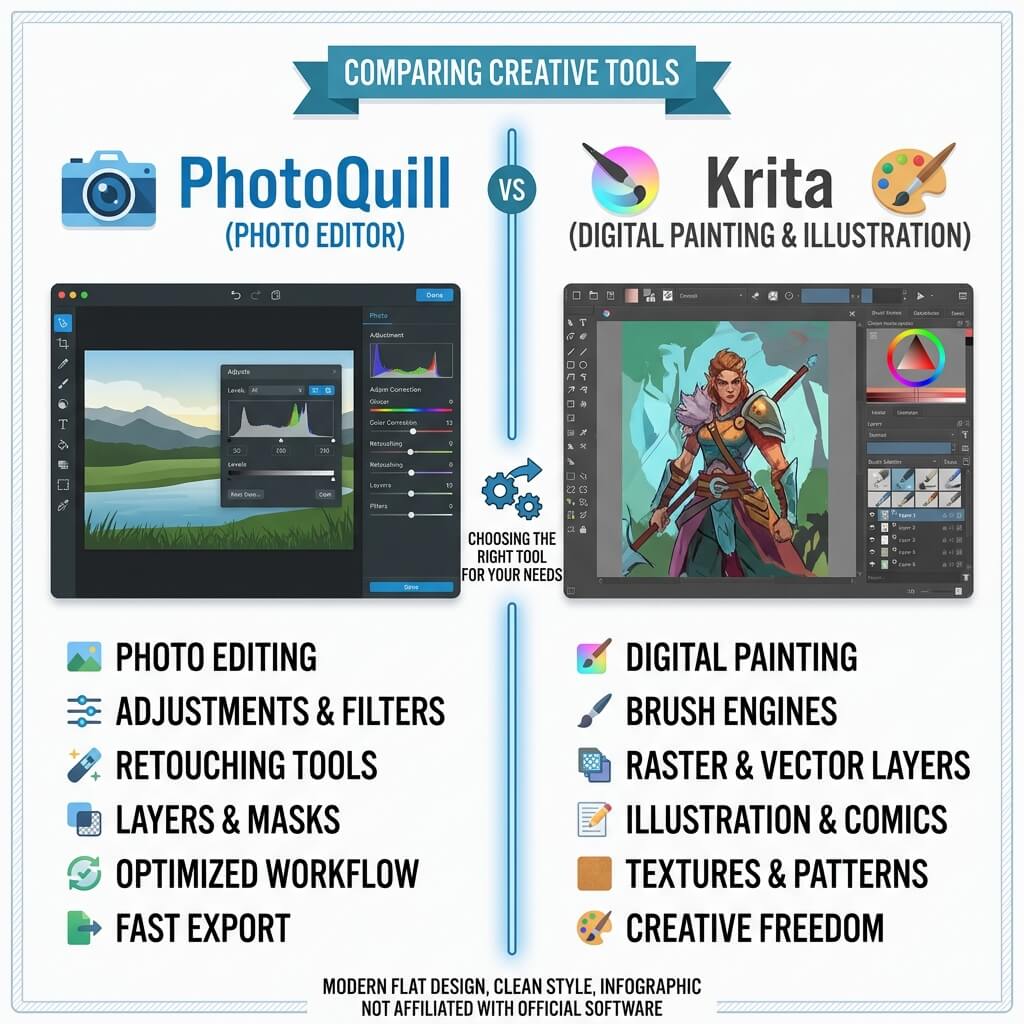
Krita is a digital painting and illustration powerhouse with an unmatched brush engine, perfect for artists creating original artwork from scratch. PhotoQuill is a modern photo editing software focused on retouching, background removal, and compositing existing images. They are complementary tools designed for completely different creative workflows.
Two Different Creative Philosophies
Comparing PhotoQuill and Krita is like comparing a darkroom to a painter's studio. While both programs allow you to manipulate pixels, they were built with fundamentally different end goals and target audiences.
Krita, developed by the KDE community, is explicitly designed for concept artists, illustrators, matte painters, and animators. It focuses heavily on how a stylus interacts with a digital canvas, simulating real-world art mediums. PhotoQuill, on the other hand, is built for photographers, designers, and marketers who need to clean up, color correct, or composite existing photographs and graphic assets quickly in a browser.
Understanding this distinction is key: you don't choose between them based on which is "better," but rather based on whether you are drawing an image or editing a photo.
Objective Pros & Cons
Krita: The Open-Source Digital Painting Champion
Krita is a desktop application that has become the gold standard for free, open-source illustration software.
Genuine Strengths:
- Professional Brush Engine: Krita's brush engine includes 100+ preset brush types with advanced texture, bristle, and smear simulation — superior to any web-based editor for digital painting. You can create custom brushes with extreme precision.
- Drawing Tablet Optimization: Deep support for Wacom, Huion, and XP-Pen tablets, including pressure sensitivity, tilt, and rotation recognition.
- Animation Timeline: Built-in tools for traditional frame-by-frame 2D animation, complete with onion skinning and playback controls.
- Drawing Assistants: Incredible built-in tools for setting up perspective grids, vanishing points, and symmetrical drawing that automatically guide your brush strokes.
- Color Management: Professional-grade ICC profile support for accurate color reproduction across different displays and print mediums.
- Python Scripting: Support for Python scripts to automate tasks or create custom plugins.
Real Drawbacks:
- Not for Photo Editing: Lacks many essential photo-retouching tools like advanced healing brushes, frequency separation, or AI-powered object removal.
- Complex Interface: The UI is dense and highly customized for painting, which can be overwhelming if you just want to crop and adjust the contrast of a photo.
- Heavy Installation: Requires a ~130MB download and installation on a desktop OS; it cannot run on a Chromebook or directly in a browser.
PhotoQuill: The Fast, Frictionless Photo Editing Software
PhotoQuill focuses on speed, accessibility, and traditional image manipulation.
Genuine Strengths:
- AI Photo Retouching: Built-in AI object removal and background replacement allow for rapid photo cleanup that Krita cannot perform natively.
- High-Fidelity PSD Support: Accurately opens Photoshop files, preserving complex layer hierarchies, adjustment layers, and blend modes for client compatibility.
- Zero Installation: Runs instantly in any modern web browser. You can edit a photo on a borrowed laptop, a Chromebook, or your primary workstation without installing software.
- Photoshop-Style Workflow: The interface and keyboard shortcuts mirror traditional photo editing softwares, making it instantly familiar to users of Photoshop or Affinity Photo.
- Fast Adjustments: PhotoQuill's WASM engine processes Levels and Curves adjustments in <50ms on a mid-range device — no server roundtrip, no wait state.
Real Limitations:
- Basic Brush Tools: The brush tools are meant for painting on layer masks or simple retouching; they do not simulate physical paint or support complex tablet tilt/rotation.
- No Animation Tools: Cannot create or edit GIF animations or video timelines.
Technology Deep Dive: Paint Engine vs Image Processing
The technical architecture of these two tools highlights their differences. Krita's core is a highly sophisticated paint engine designed to calculate how digital "paint" interacts with the canvas based on stylus pressure, speed, and existing pixel colors (smudging and blending). This requires constant, complex calculations during every brush stroke to simulate physical media.
PhotoQuill is built around an image processing pipeline utilizing WebAssembly (WASM). Its architecture is optimized for applying mathematical transformations (like curves, levels, convolutions, and AI inference models) across millions of pixels simultaneously. While Krita excels at generating new pixels via a brush, PhotoQuill excels at analyzing and modifying existing pixels instantly within the browser sandbox.
Feature Comparison Table
| Feature | PhotoQuill | Krita |
|---|---|---|
| Primary Focus | Photo Editing | Digital Painting |
| Cost | Free | Free (GPLv3) |
| Platform | Browser (All OS) | Windows, Mac, Linux (Install) |
| Advanced Brush Engine | No (Basic Brushes) | Yes (100+ Presets) |
| Drawing Tablet Support | Basic Pressure Only | Full (Tilt, Rotation, Pressure) |
| AI Background Removal | Yes (Local WASM) | No |
| PSD Compatibility | High Fidelity | Basic Layer Support |
| Animation Tools | No | Yes |
Who Should Use Which?
✅ Choose PhotoQuill if you...
- Need to color correct, crop, or retouch photographs
- Want to quickly remove backgrounds or unwanted objects
- Are working with existing PSD files from designers
- Need to edit on a device where you can't install software (like a Chromebook)
- Prefer a traditional Photoshop-style interface
✅ Choose Krita if you...
- Are creating original digital art, illustrations, or comics
- Use a Wacom, Huion, or other professional drawing tablet
- Need advanced brush customization and texture simulation
- Require drawing assistants (perspective grids, symmetry)
- Want to create 2D frame-by-frame animations
How to Open a Krita File (KRA) and Continue Editing in PhotoQuill
Export from Krita as PSD
Krita's native format (.kra) is highly specialized and not supported by general photo editing softwares. In Krita, go to File > Export and choose Photoshop Image (.psd) to preserve your layers.
Open PhotoQuill in your browser
Navigate to photoquill.com in Chrome, Edge, or Safari. There is no installation or account required.
Import and Edit
Drag and drop the exported PSD file onto the PhotoQuill canvas. Your painting layers will be intact, allowing you to use PhotoQuill's photo-specific adjustment layers (like Curves or Levels) for final color grading or compositing.