How to Crop in Photoshop: Aspect Ratios, Straightening and Pro Techniques
Cropping is the single most powerful composition tool in photo editing. Whether you need to eliminate distracting background clutter, adapt a horizontal landscape photo for a vertical Instagram Reel, or enforce precise aspect ratios for print framing, mastering how to crop in photoshop gives you full control over your visual storytelling.
The Photoshop Crop Tool Basics: Shortcuts and Options Bar
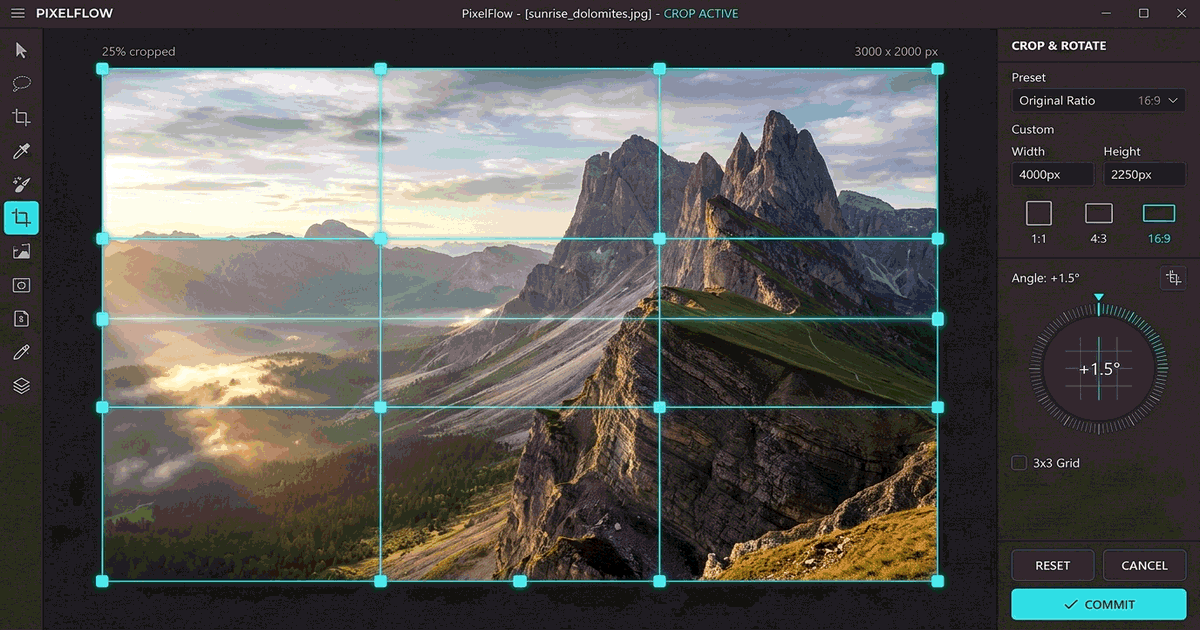
The Crop tool in Photoshop reshapes the canvas perimeter and trims extraneous pixels. Here is the foundational setup:
- Press the shortcut key C on your keyboard to activate the Crop Tool from the left toolbar.
- A bounding box with corner handles and a rule-of-thirds grid overlay automatically surrounds your image canvas.
- Click and drag any corner or edge anchor point inward to isolate the focal subject.
- Press Enter (Return on Mac) to commit the crop, or hit Esc to cancel.
Critical Setting: Delete Cropped Pixels (Non-Destructive Cropping)
One of the most common beginner pitfalls in Photoshop is losing image data permanently. Look at the top Options Bar:
- Uncheck 'Delete Cropped Pixels': When disabled, Photoshop hides the trimmed portions outside the canvas boundary rather than erasing them. If you later decide to reframe your shot or expand the composition, simply reactivate the Crop tool to reveal the original pixels.
- Check 'Delete Cropped Pixels': Trims and discards all data outside the bounding box, permanently flattening layers to minimize document file size.
Mastering Fixed Aspect Ratios for Social Media & Print
In the top Options Bar dropdown menu, switch from Ratio to specific proportions or custom dimensions:
| Platform / Target | Recommended Aspect Ratio | Pixel Resolution Standard |
|---|---|---|
| Instagram Square Feed | 1:1 (Square) | 1080 × 1080 px |
| Instagram Portrait / TikTok | 4:5 or 9:16 (Vertical) | 1080 × 1350 px / 1080 × 1920 px |
| YouTube Video / Landscape Banner | 16:9 (Widescreen) | 1920 × 1080 px or 2560 × 1440 px |
| Standard Fine Art Print | 2:3, 4:5, 5:7 | 300 DPI at physical print dimensions |
Straightening Crooked Horizons While Cropping
If your landscape or architectural shot has an uneven horizon line:
- With the Crop tool active (
C), click the Straighten icon (a small level bubble) in the top Options Bar. - Click and drag a line along your photo's natural horizon (waterline or building ridge).
- Photoshop automatically rotates and scales the crop box to level the horizon without leaving blank canvas corners.
Free Web Alternative: Crop Accurately in PhotoQuill
Don't have Adobe Creative Cloud installed on your current workstation? PhotoQuill offers an identical non-destructive cropping engine in your web browser. Drag your photo in, select fixed social aspect ratios, adjust your composition overlay, and export clean JPGs or PNGs in seconds. See also our guide on how to crop an image in Photoshop and how to change canvas size.
Crop Photos in PhotoQuill Online →Frequently Asked Questions
Press the letter 'C' on your keyboard to instantly select the Crop Tool.
Uncheck the 'Delete Cropped Pixels' box in the top options bar before committing your crop. This preserves all hidden data non-destructively.
In the Crop tool dropdown menu, choose 'W x H x Resolution', enter 1920 px in the first box, 1080 px in the second, and 72 or 300 pixels/inch in the third.
If you accidentally entered a low DPI or forced a small crop box onto a high-resolution export, resampling may degrade quality. Always crop in ratio mode first and check image resolution under Image > Image Size.
Yes. PhotoQuill runs directly in any modern browser without software installation or subscription fees.