
Open and Edit GIMP Files Online
PhotoQuill is a free photo editor that runs in your browser and opens GIMP's XCF files with their layers, layer groups and masks. Edit them with layers, masks and adjustment layers, then save a layered PSD or export a PNG or JPG. Nothing to install, no sign-up, and your file is not uploaded.
Open an XCF file in the editor
.xcf and .xcf.gz from GIMP 2 and 3 · PSD, PNG and JPG work too
Opens in a new tab in Chrome or Edge on Windows, Mac and Chromebook. No XCF at hand? made in GIMP.
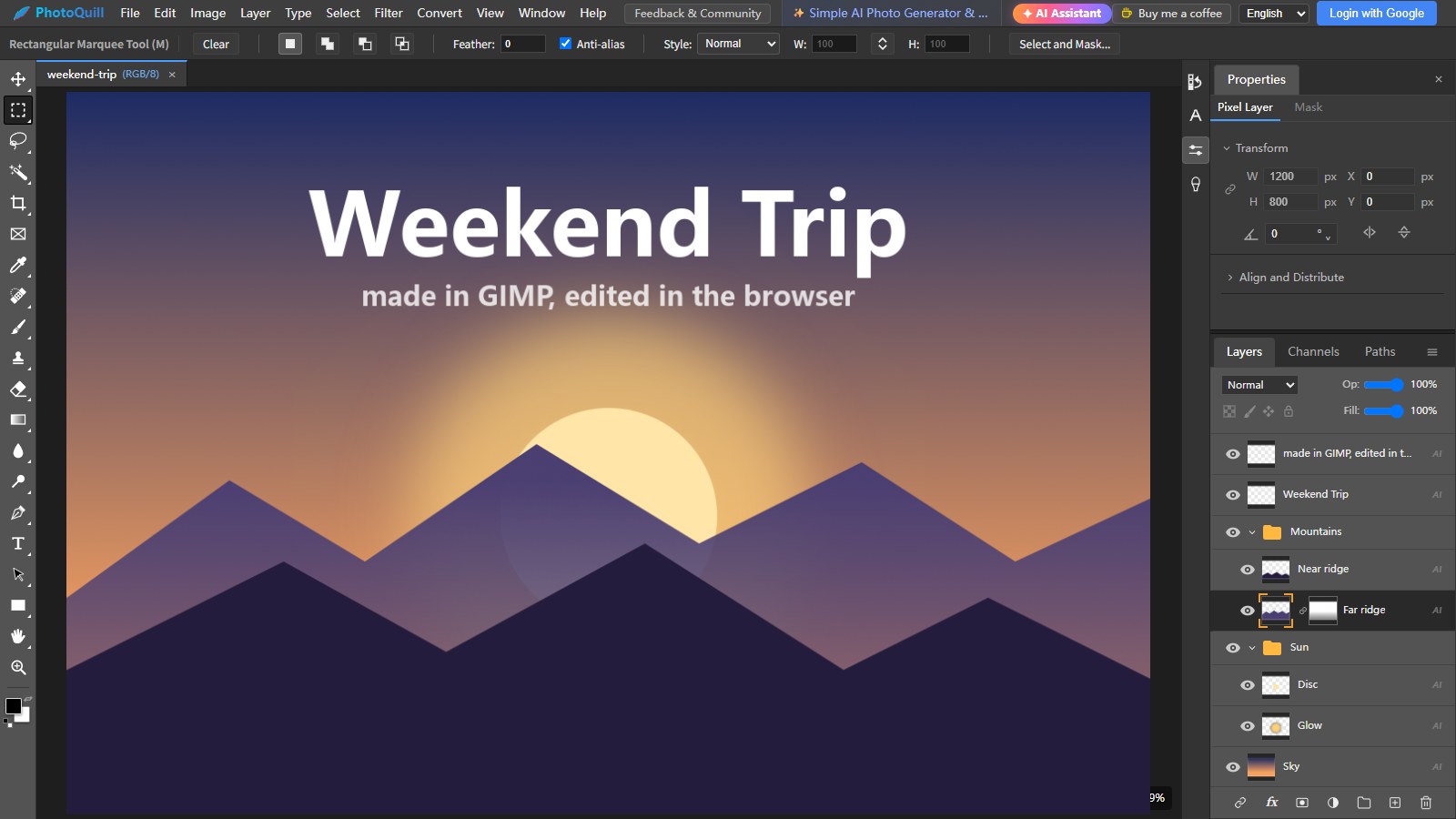
What Comes Over From Your XCF
Opens with the file
- Every layer, with its name, position, opacity and visibility
- Layer groups, including pass-through groups
- Layer masks, on or off as you left them
- Blend modes such as Multiply, Screen, Overlay, Soft light and Hard light
- 8, 16 and 32-bit images, grayscale and indexed (palette) images
- Files from GIMP 2.x and 3.x, plain or saved as .xcf.gz
Good to know
- Text layers open as pixel layers; retype any text you need to change
- GIMP 3's non-destructive filters are not applied
- Saved channels, paths and a floating selection are left out
- GIMP-only modes (Grain merge, Grain extract, Erase…) open as Normal
- PhotoQuill saves PSD, PNG, JPG and WebP, not XCF
When something is left out, PhotoQuill tells you which layers it affects as the file opens.
Coming From GIMP
PhotoQuill's workspace follows Photoshop rather than GIMP, so menus and shortcuts differ, but most GIMP tools have a direct match:
| In GIMP | In PhotoQuill |
|---|---|
| Fuzzy Select | Magic Wand |
| Foreground Select | Object Selection, or Select → Select and Mask |
| Paths tool | Pen and Curvature Pen |
| Heal, Clone | Spot Healing Brush, Healing Brush, Clone Stamp |
| Colors → Curves / Levels | Curves and Levels, also as editable adjustment layers |
| Layer → Mask → Add Layer Mask | Layer → Layer Mask, or the mask button in the Layers panel |
| Export As PNG / JPG | File → Export |
PhotoQuill vs GIMP
GIMP is a mature, free and open-source desktop editor, and it is the better choice for plug-ins, scripting and work that needs a full desktop app. PhotoQuill is for editing in a browser: on a Chromebook, on a school or work computer where you can't install software, or when you just need to open an XCF quickly.
| PhotoQuill | GIMP | |
|---|---|---|
| Install | None, runs in the browser | Desktop app for Windows, macOS and Linux |
| Price | Free; AI features use credits | Free and open source |
| Files | Opens XCF and PSD; saves PSD, PNG, JPG, WebP | Saves XCF; imports and exports PSD |
| Non-destructive editing | Adjustment layers, Smart Objects, layer styles | Non-destructive filters (GIMP 3) |
| Interface | Photoshop-style menus and shortcuts | GIMP's own menus and shortcuts |
| AI | AI assistant, image to layered PSD, background removal | Through third-party plug-ins |
More detail in PhotoQuill vs GIMP.
How to Open an XCF File Online
- Choose your file. Drop the .xcf (or .xcf.gz) on the box above, or click Choose File. The editor opens in a new tab with your file.
- Check the layers. Your layers, groups and masks are in the Layers panel. If anything could not be brought over, a note lists the layers it affects.
- Edit. Retouch, add text, masks and adjustment layers just as you would in a desktop editor.
- Save. Choose File → Save as PSD to keep the layers (GIMP opens PSDs too), or export a PNG or JPG.
Only need a flat image or a PSD? Convert without opening the editor: XCF to PNG, XCF to JPG or XCF to PSD with layers.
The editor is free, with no download and no sign-up to start.
Open the Free Online EditorFrequently Asked Questions
GIMP is free software from the GIMP team; PhotoQuill is not affiliated with it. We use the name only to say which files PhotoQuill opens.