Free PSD Viewer Online — Open .PSD Files in Your Browser
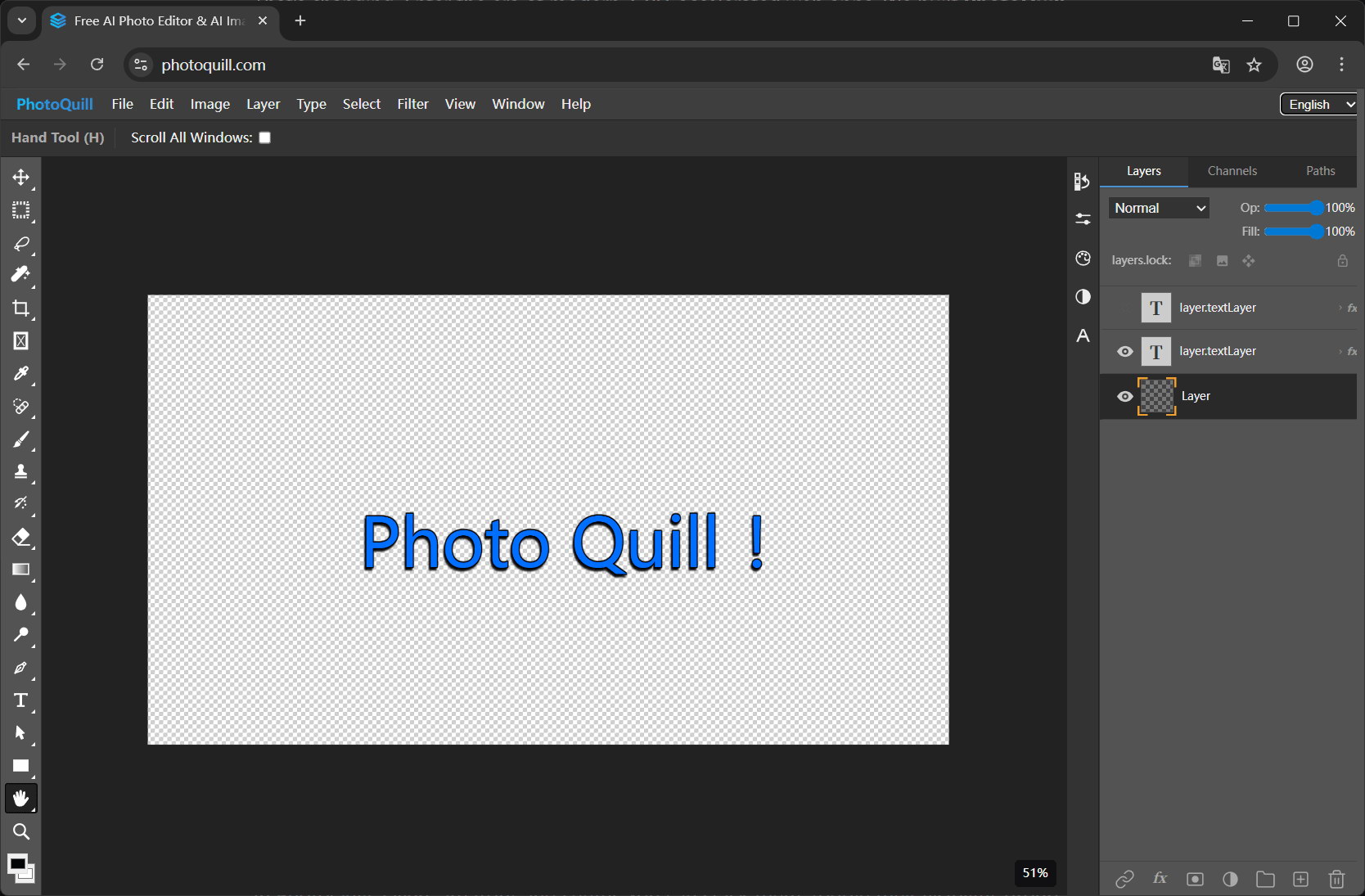
1. Why You Need a Real PSD Viewer (Not a Thumbnail)
Search "free PSD viewer online" and you'll get a wall of sites that show you a flat thumbnail of your PSD — nothing more. They strip out the entire reason a PSD exists in the first place: layers.
A PSD without its layers is just an awkwardly-encoded JPG. If that's all you needed, you'd ask the sender to export a PNG. The point of getting a PSD is to see what's inside: which layers exist, what's grouped where, what masks are applied, what's hidden, what fonts were used. A real viewer shows you all of that.
2. How a Browser-Based PSD Viewer Works
Modern browsers can read binary file formats just fine. PhotoQuill loads your PSD into the browser's memory, parses the PSD binary structure with JavaScript, and renders each layer onto a WebGPU-accelerated canvas. The result is identical to what you'd see in desktop Photoshop — but without installing anything and without sending the file anywhere.
The whole pipeline runs on your device. The same chip that runs your games is rendering your PSD. That's why even multi-hundred-MB design files open in seconds.
3. Open a PSD in 10 Seconds
- Go to photoquill.com.
- Drag your
.psdfile into the browser window. - The full layer panel appears on the right. Click any layer to select it; toggle the eye icon to show/hide it.
- Inspect blend modes, opacity, masks, and layer groups exactly as you would in Photoshop.
- Done viewing? Close the tab. Nothing was uploaded; nothing was saved server-side.
4. Why "Free Online PSD Viewers" Often Aren't Private
Most free online PSD viewers work by uploading your file to their server, generating a preview, and sending the image back. That means:
- Your design file sits on someone else's hard drive.
- It may be retained, indexed, or used for ML training depending on the site's terms.
- You have no idea who has access to it after upload.
5. PhotoQuill vs Other Free PSD Viewers
| Capability | PhotoQuill | Generic "PSD Viewer" sites | Photopea | Photoshop trial |
|---|---|---|---|---|
| Free, no signup | Yes | Yes | Yes (with ads) | 7-day trial only |
| Files stay on your device | Yes | Usually no | Yes | Yes |
| Full layer panel | Yes | Flat preview only | Yes | Yes |
| Blend modes preserved | Yes | No | Yes | Yes |
| WebGPU performance | Yes | No | No | Native |
| Edit, not just view | Yes | No | Yes | Yes |
6. FAQ
Is this PSD viewer really free?
Yes. Viewing and editing PSD files in PhotoQuill is completely free with no watermarks, no time limits, and no signup required. Optional AI image generation is paid via credits, but PSD viewing and editing is free forever.
Do I need to upload my PSD file?
No. PhotoQuill parses your PSD file locally in your browser using JavaScript and WebGPU. Your file never leaves your device, so there are zero privacy concerns.
Can I see all the individual layers?
Yes. The full layer panel appears just like in Photoshop. You can toggle visibility, inspect blend modes, see masks, and explore layer groups.
What's the maximum PSD file size I can view?
PhotoQuill handles large PSD files efficiently thanks to WebGPU acceleration. Files of several hundred MB with hundreds of layers open smoothly on modern hardware.
Can I export the PSD as a flat PNG or JPG?
Yes. You can export to PNG, JPG, WebP, or back to PSD. Useful when you just need a flat preview to send to someone.